The skip button
Set the skip interval to 30 or 45 seconds and tap through the break. Free and everywhere, but you guess where the ad ends, every time.
There are four ways, from pressing a button during every break to never hearing the ad at all. Here is what each one does in Apple Podcasts, Overcast, Pocket Casts and Castro, and what it asks of you.
First 5 episodes cleaned free in the App Store version · Requires macOS 26
The first two work in every player and cost nothing but attention. The last two mean you never hear the ad at all.
Set the skip interval to 30 or 45 seconds and tap through the break. Free and everywhere, but you guess where the ad ends, every time.
Some shows mark the ad break as its own chapter, so one tap lands you after it. Most shows do not.
Many shows sell one through Apple Podcasts Subscriptions, Patreon or their own membership. The cleanest option when it exists, and it pays the show.
Feedcast removes the sponsor reads on your Mac before the episode reaches your player. Works on any show, in any player that takes a feed address.
A web ad blocker works because ads on a page are separate requests it can refuse. A podcast ad is not. It is part of the audio file your player downloads, either recorded into the episode by the host or stitched in by the hosting company at the moment you download it. To the player it is simply more audio, which is why no podcast app can “block” it the way a browser can.
That leaves two kinds of fixes: skip the ad while you listen, or change the file before you listen.
Most ad breaks run between 30 and 90 seconds. Apple Podcasts, Overcast, Pocket Casts and Castro all let you change how far the skip forward button jumps. In Apple Podcasts the setting lives in the Podcasts section of the iPhone Settings app, in the others it is in the app’s own settings. A 30 second jump clears a short read in one tap and a long one in three.
It costs nothing, and it is still work: you notice the ad, reach for the phone, tap, overshoot into the conversation, and skip back. On a walk or in the car, you usually just listen to it.
When a show ships chapters, every app above shows them, and some shows put the sponsor break in a chapter of its own. Then one tap on “next chapter” lands right after it. It is exact, but it depends entirely on the show, and the shows with the most ads rarely mark them.
If a show you love sells an ad-free feed, through Apple Podcasts Subscriptions, Patreon, Supercast or its own website, that is the best way to skip its ads. The money goes straight to the people who make it, and the episodes arrive clean in your player. It only works show by show, and most shows do not offer one.
This is what Feedcast does. It is a Mac app that downloads each new episode, transcribes it on the Mac, finds the sponsor reads in what is actually said, and cuts them out of your own copy. The cleaned episode then reaches Apple Podcasts, Overcast, Pocket Casts or Castro through a private feed you subscribe to once. From then on, new episodes simply arrive without the breaks.
Because it reads each episode itself rather than relying on a list somebody else keeps, it works on small shows too. Every cut is listed and can be undone, the untouched original is kept, and chapters move with the cut so they still line up.
The honest limits: Feedcast needs a Mac on macOS 26, and the Mac has to be awake when your phone downloads, because the episodes are served from it. Detection is good, not perfect, and host reads that blend into the conversation are the hardest case. The full details are in the podcast ad blocker guide.
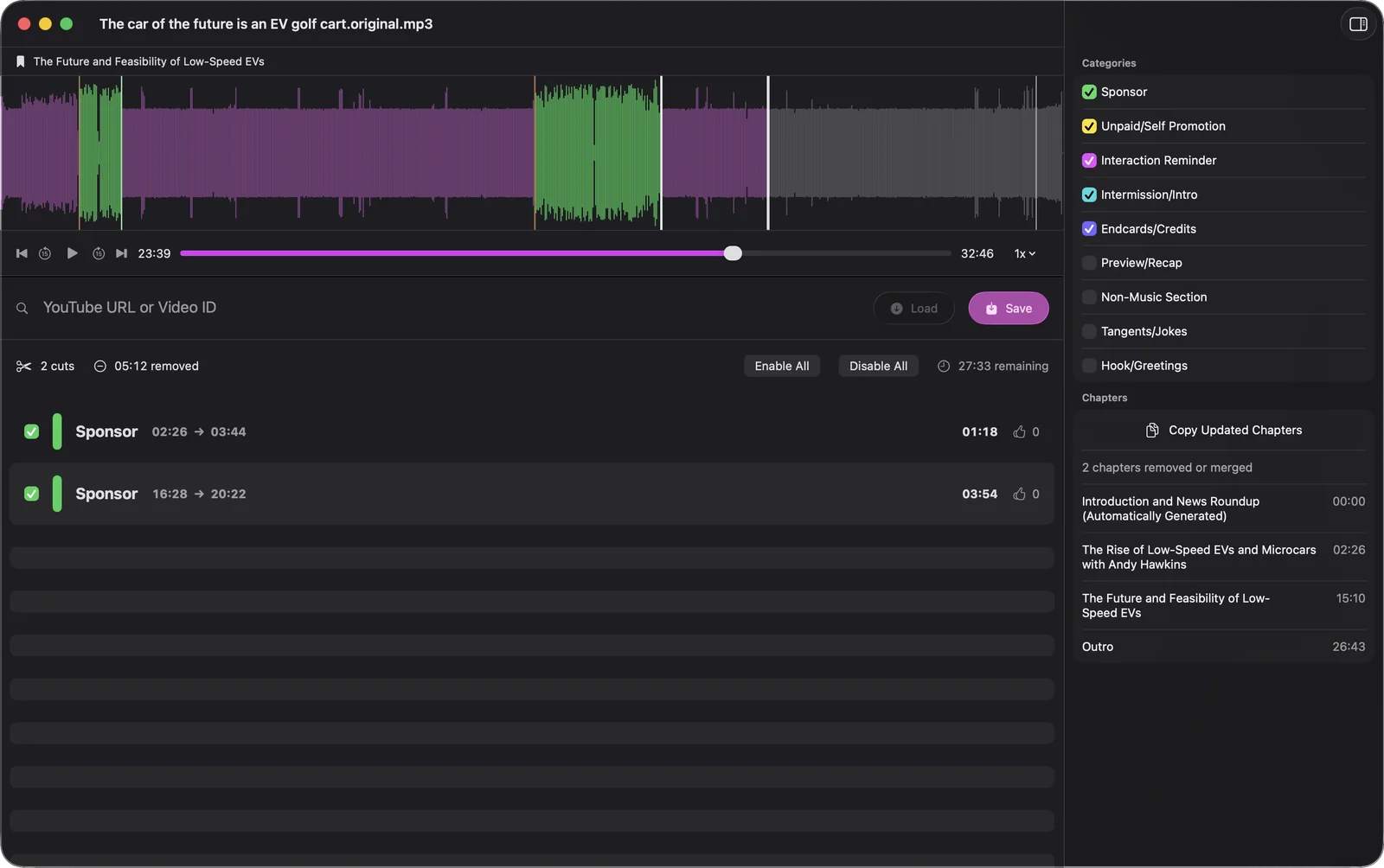
For one or two favorite shows that sell an ad-free feed, buy it. For everything else, the skip button is free and good enough if you do not mind the tapping. If you listen to hours of podcasts a week and the breaks wear on you, cutting them out once on the Mac is the only way they stop reaching you at all. The App Store version of Feedcast cleans your first five episodes free, so you can hear the difference in your own player before deciding.
Feedcast also writes chapters for episodes that arrive without any, and gives every episode a searchable transcript. See transcripts and chapters, or how the episodes reach your phone through a private podcast feed.
Because the ad is not a separate request. It is part of the audio file your player downloads, either recorded into the episode or stitched in by the host at download time. To the player it is just more audio, so the only way to remove it is to edit the file itself.
Not inside Apple Podcasts. You can change the skip interval and jump between chapters. To have the ads gone automatically, Feedcast cuts them out on your Mac and Apple Podcasts plays the cleaned episode from a private feed.
No. Spotify cannot subscribe to a private RSS feed, so a cleaned episode has no way to reach it. Feedcast works with Apple Podcasts, Overcast, Pocket Casts, Castro and any other player that accepts a feed address.
The show still gets the normal download, once per episode. If a show you love sells an ad-free feed or a membership, that is the best way to skip its ads, because the money goes straight to the people who make it.
No. Your queue, your speed settings and your listening history stay in the player you use now. Feedcast only changes the episode file that reaches it.