The transcript
Every episode Feedcast prepares is transcribed, using the speech framework that ships with macOS 26. That is why the Mac requirement is what it is, and why a transcript does not cost anything or count against a quota: the work happens on your own machine, in the background, while you do something else.
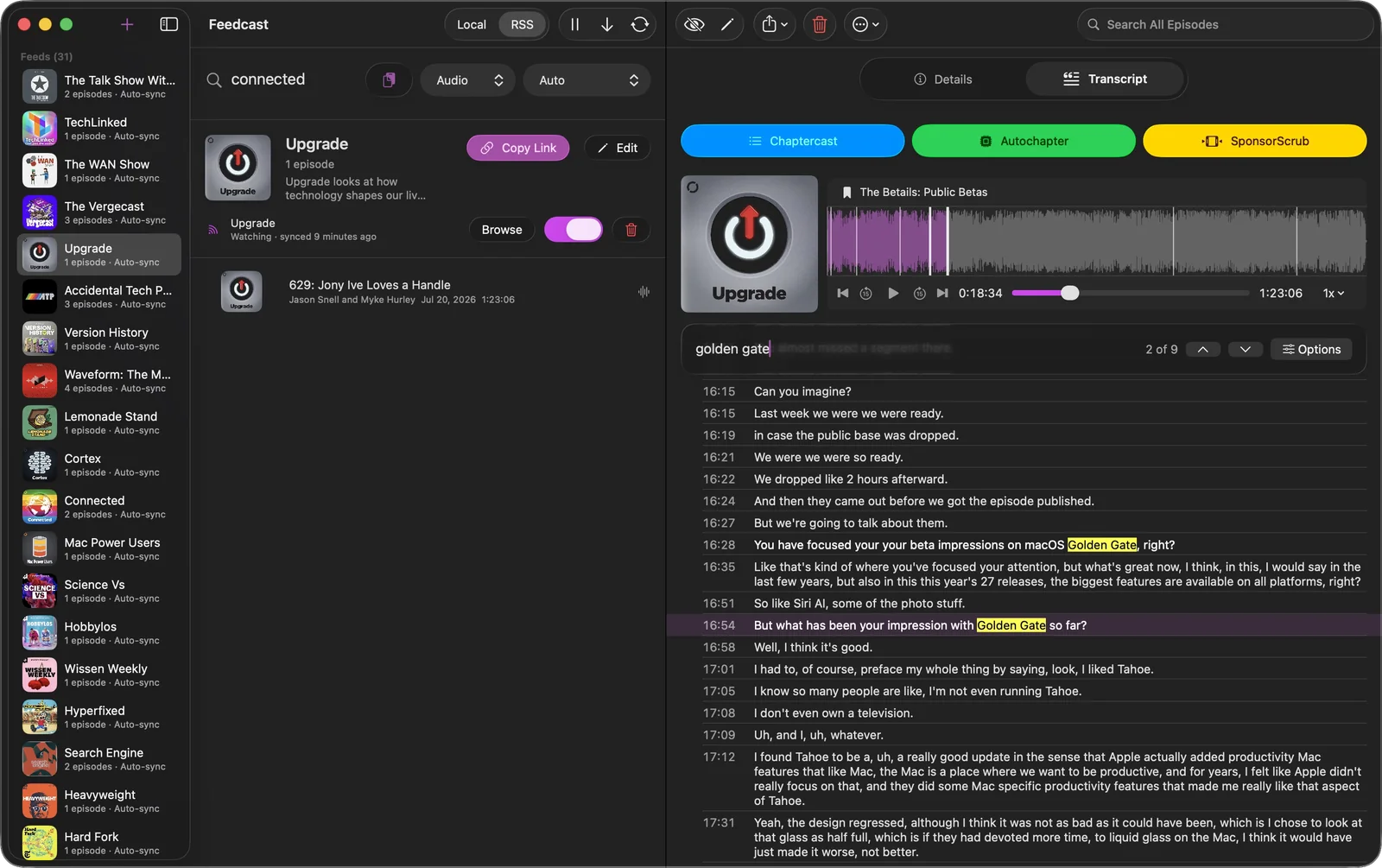
What you get is not a wall of text but a timed list. Each line carries the second it was spoken, the current line is highlighted as the episode plays, and clicking any line moves the player there. Search inside it and every match is highlighted in place with its timecode, so “somewhere in the middle they talked about the Golden Gate beta” becomes a click.
Search works inside the episode you have open. The library search above it is a different thing: it covers episode titles, descriptions and channels across everything you have, which is how you find the episode in the first place.
Chapters a show already has
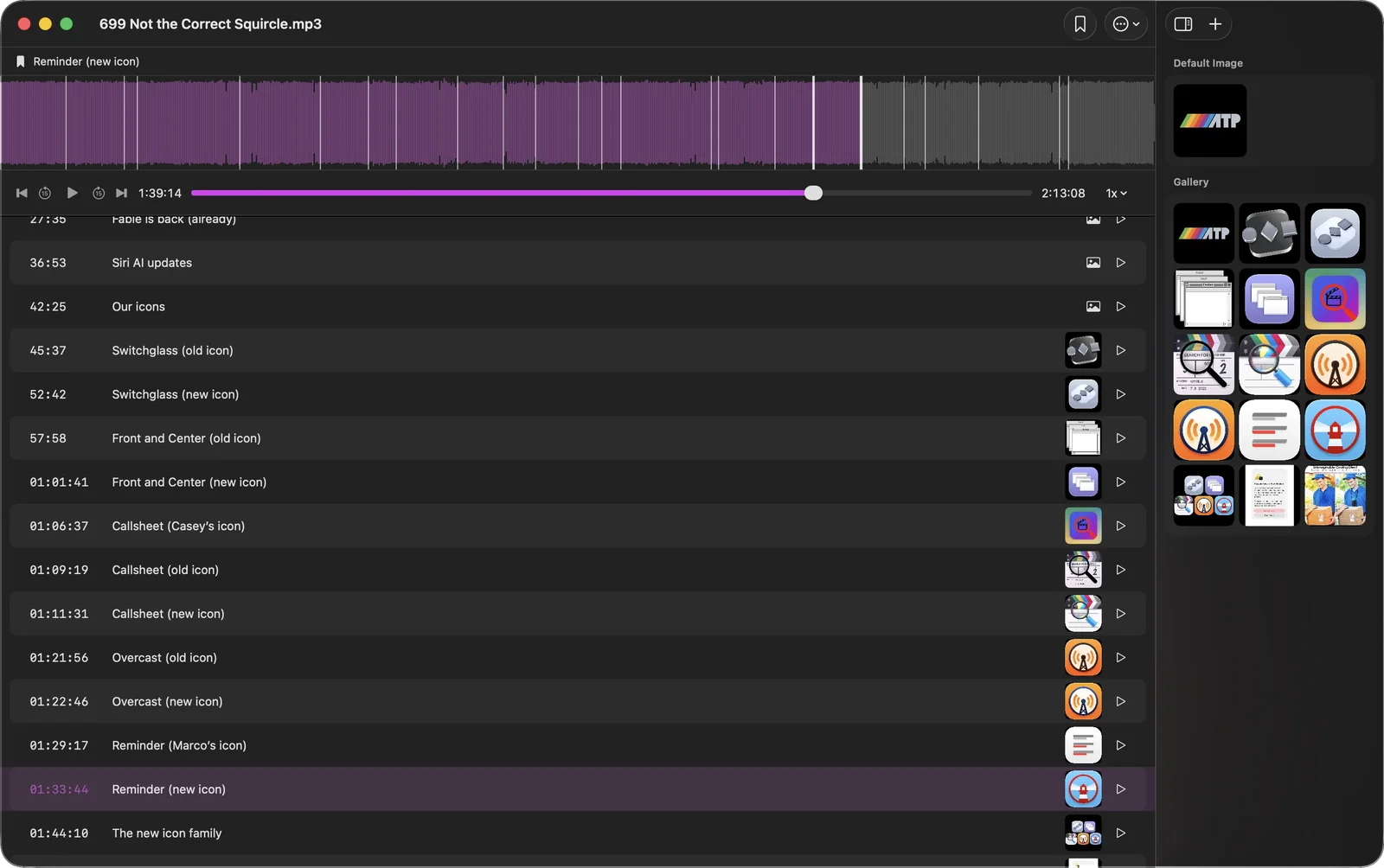
When a podcast ships chapters, Feedcast keeps them exactly as they are, including the artwork some shows attach to each one. They are not rewritten, not renamed, and not replaced by anything Feedcast could generate instead. The only time they move is when a sponsor read is cut out from underneath them, and then they move by exactly the length of the cut.
Chaptercast is the editor for the rest: retitle a chapter, drag a mark to where the segment really starts, add one the show forgot, or give a chapter its own image. The waveform carries the marks so you can see the shape of the episode while you work, and the inspector holds the artwork gallery.
Chapters an episode never had
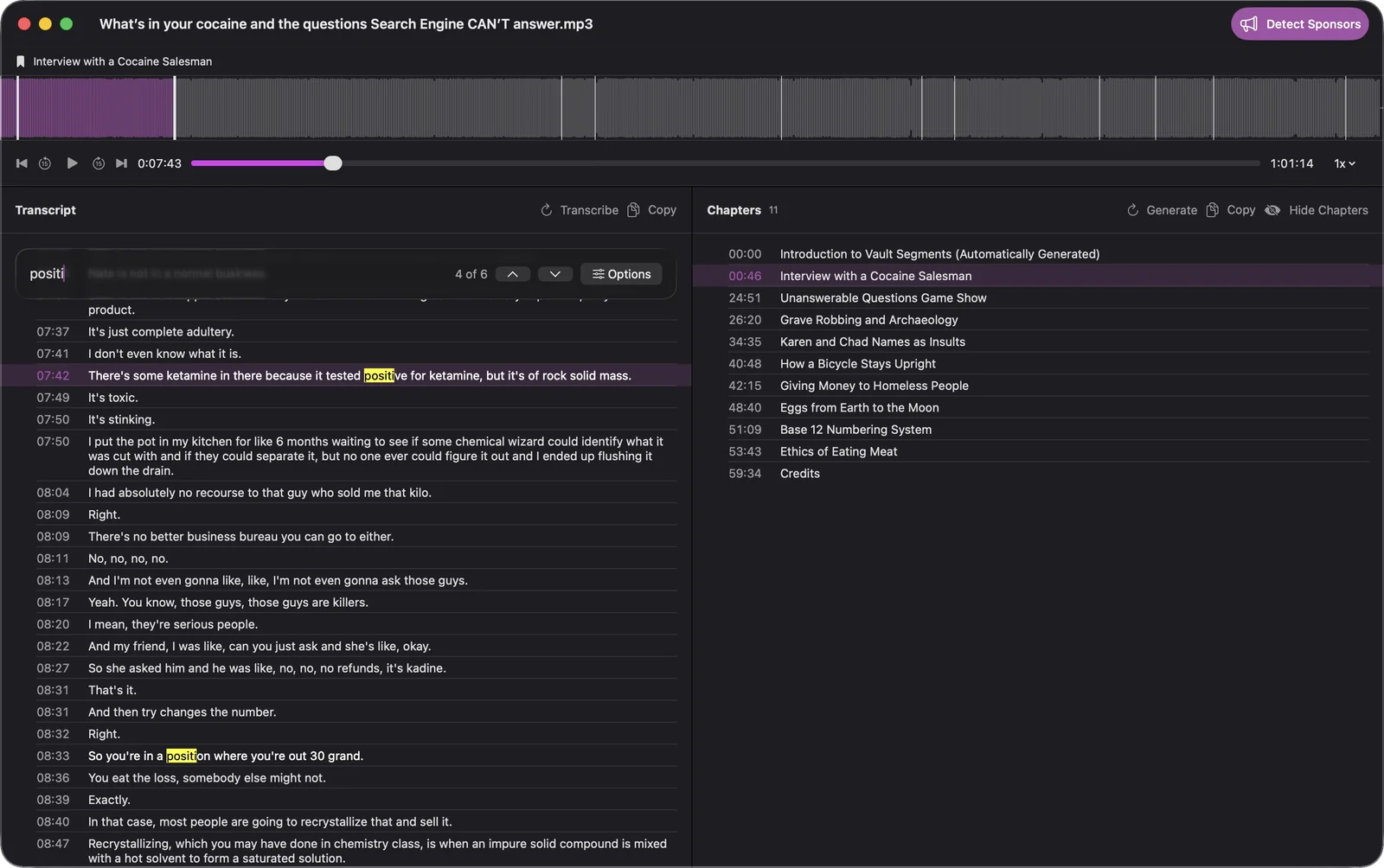
Plenty of shows ship none at all. For those, Autochapter reads the finished transcript and proposes a chapter list: where the conversation turns, what the new subject is, and the timestamp it starts at. You get titles that describe the episode rather than “Part 2”, and you can edit any of them before they are written in.
This is the one step that leaves your Mac. The transcript text, never the audio, is sent to a model that returns the list, which is why generated chapters are a Premium feature with a monthly allowance rather than something that runs unlimited. Episodes that already have chapters are left alone.
They travel with the episode
Chapters are written into the file itself, not kept in a Feedcast database, so they arrive intact in Apple Podcasts, Overcast, Pocket Casts, Castro and anything else that reads chapter marks. Skip to the interview from your phone, on a walk, in an app Feedcast has never heard of.
See how the sponsor removal that reshapes those chapters works, or how the finished episode reaches your phone through a private podcast feed.