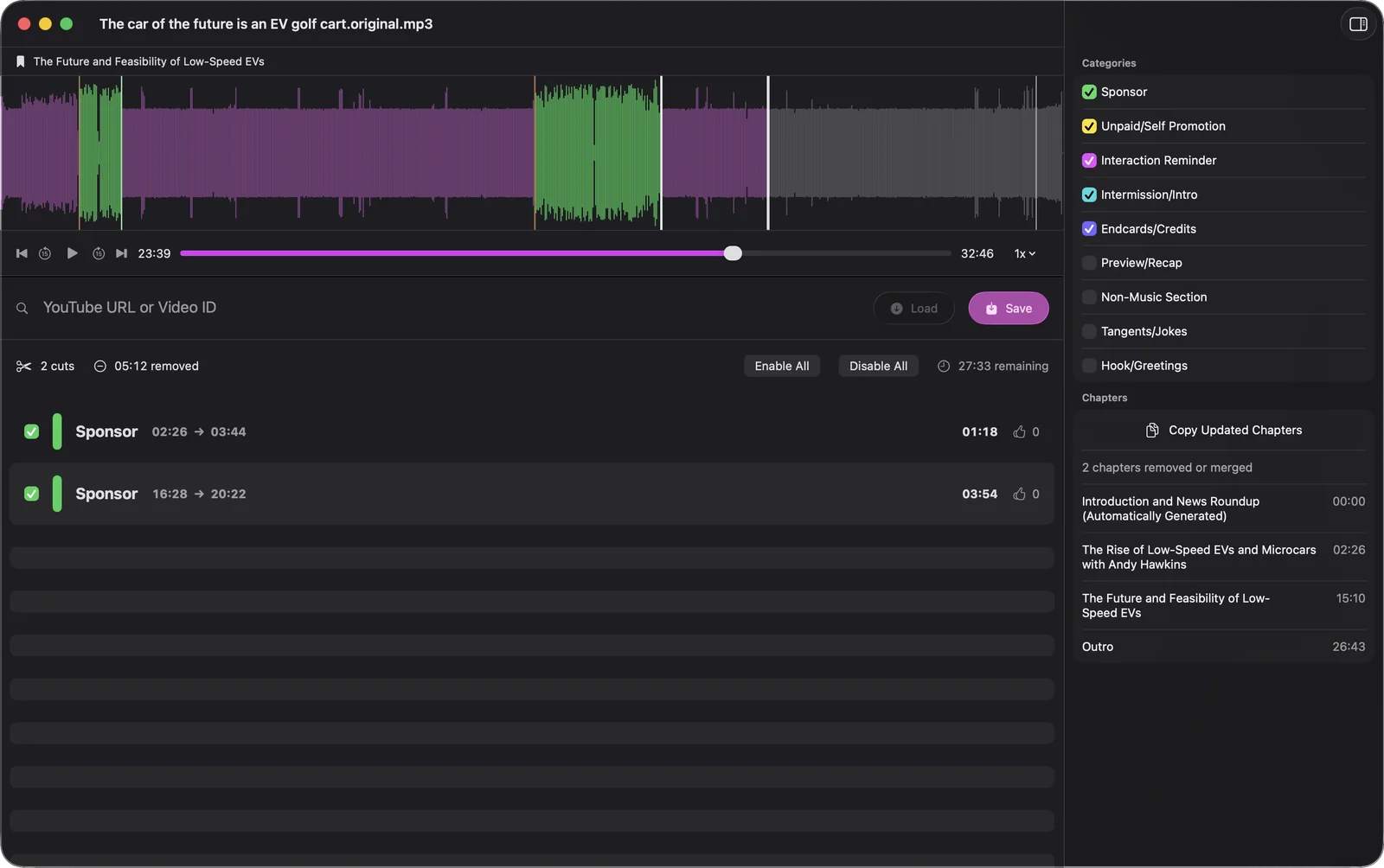
Why a podcast ad cannot be blocked
A browser ad blocker works because the ad arrives separately from the page, so it can be dropped on the way in. A podcast ad does not arrive separately. By the time the MP3 reaches you the sponsor read is part of the recording, the same waveform as the host’s voice, often recorded by the host in the same breath. There is nothing to block. The only way to get rid of it is to find where it starts, find where it ends, and cut that stretch out of the file.
That is the whole of what Feedcast does, and it is why it runs on a Mac rather than on your phone: cutting and re-encoding an hour of audio is real work, and it has to happen before your player ever sees the episode.
Finding where the ad is
Feedcast looks in three places, in this order, and stops at the first that answers.
- SponsorBlock. If the episode came from a YouTube video, which the direct download can import, Feedcast asks the SponsorBlock database for that video’s segments. These are timestamps submitted and voted on by people who already watched it, so they are exact to the second. When SponsorBlock answers, its segments are used and nothing else is consulted.
- The show’s own chapters. Plenty of podcasts ship chapters and politely name one of them Sponsor, Ad or Werbung. Feedcast reads the chapters embedded in the file or listed in the episode description and takes the ranges of the ones that announce themselves.
- The transcript. If neither of the above turns anything up, the episode is transcribed on your Mac and the text is read for the shape of an ad break: the pivot away from the topic, the pitch, the discount code, the return to the show. What comes back is a start and an end timestamp.
The first two are exact. The third is a judgement about spoken language, which is why the cuts are shown to you rather than applied silently.
Choosing what counts as an ad
Not everyone wants the same things gone, so Feedcast keeps nine categories, each switched on or off on its own. Five are on when you install it:
- Sponsor and Unpaid/Self Promotion, the paid read and the plug for the host’s own thing.
- Interaction Reminder, the “like, subscribe and leave us a review”.
- Intermission/Intro, the theme music at the top.
- Endcards/Credits, the sign-off after the episode is over.
Four more wait until you ask for them: Hook/Greetings for the warm-up, and Preview/Recap, Tangents/Jokes and Non-Music Section for when you want only the substance. Whatever you pick applies to every episode Feedcast prepares from then on.
Cutting the file
The ranges are removed and the remaining audio is joined back together, so a 32 minute episode with 5 minutes of ads becomes a 27 minute episode. It is a real cut, not a skip instruction your player has to honour, which is why it survives the trip into Apple Podcasts, Overcast or anything else.
Chapter marks are repaired in the same pass. Chapters that sat inside a removed range are dropped, and every chapter after a cut moves back by the length of what was taken out, so the marks still land on what they name. Feedcast tells you how many chapters were removed or merged.
Your download is not overwritten. The untouched original is kept beside the cleaned copy so you can undo a cut or listen to the episode as it shipped, and it is deleted a few days later, three by default, so the originals do not quietly fill your disk.
Doing it again, unattended
Sponsor removal is worth having once and worth nothing unless it keeps happening. Feedcast sits in the menu bar, checks your shows on a schedule, and runs the whole pipeline on each new episode as it lands: download, find, cut, repair the chapters, publish to your feed. Most weeks you never open it.
For YouTube sources there is a second pass. Segments are often submitted to SponsorBlock in the hours after a video goes up, so Feedcast keeps re-checking a recent episode for a while and cleans it again if better data arrives.
More than removed ads
The same pipeline gives the episode chapters it never had and a transcript you can search. Read about transcripts and chapters, or see how the cleaned episode reaches your phone through a private podcast feed.