
Three sources. One feed.
Any podcast, any feed
Search Apple’s catalog or paste a feed URL, then let auto-sync file every new episode into a local archive that stays yours.
Your own audio & video
Drop in any audio or video file and Feedcast wraps it into a proper episode with artwork and tags.
Channels, playlists & videos
Paste a link to a channel, playlist or video. Keep the video or take just the audio, and auto-sync pulls in new uploads.
From source to feed in three steps.
However it comes in, you get a real podcast feed in seconds.
Add a source
Paste a YouTube or RSS link, or drop in a file. Feedcast works out the format for you.
Feedcast builds the feed
An ordinary RSS feed comes out, served straight from your Mac.
Subscribe anywhere
Play it in Feedcast, or open the link in any podcast app and take it with you.
Clean episodes without changing players.
Feedcast is a processing layer on your Mac. It downloads a personal copy, improves it, and publishes a feed for the app you already know.
Podcast ad blocker
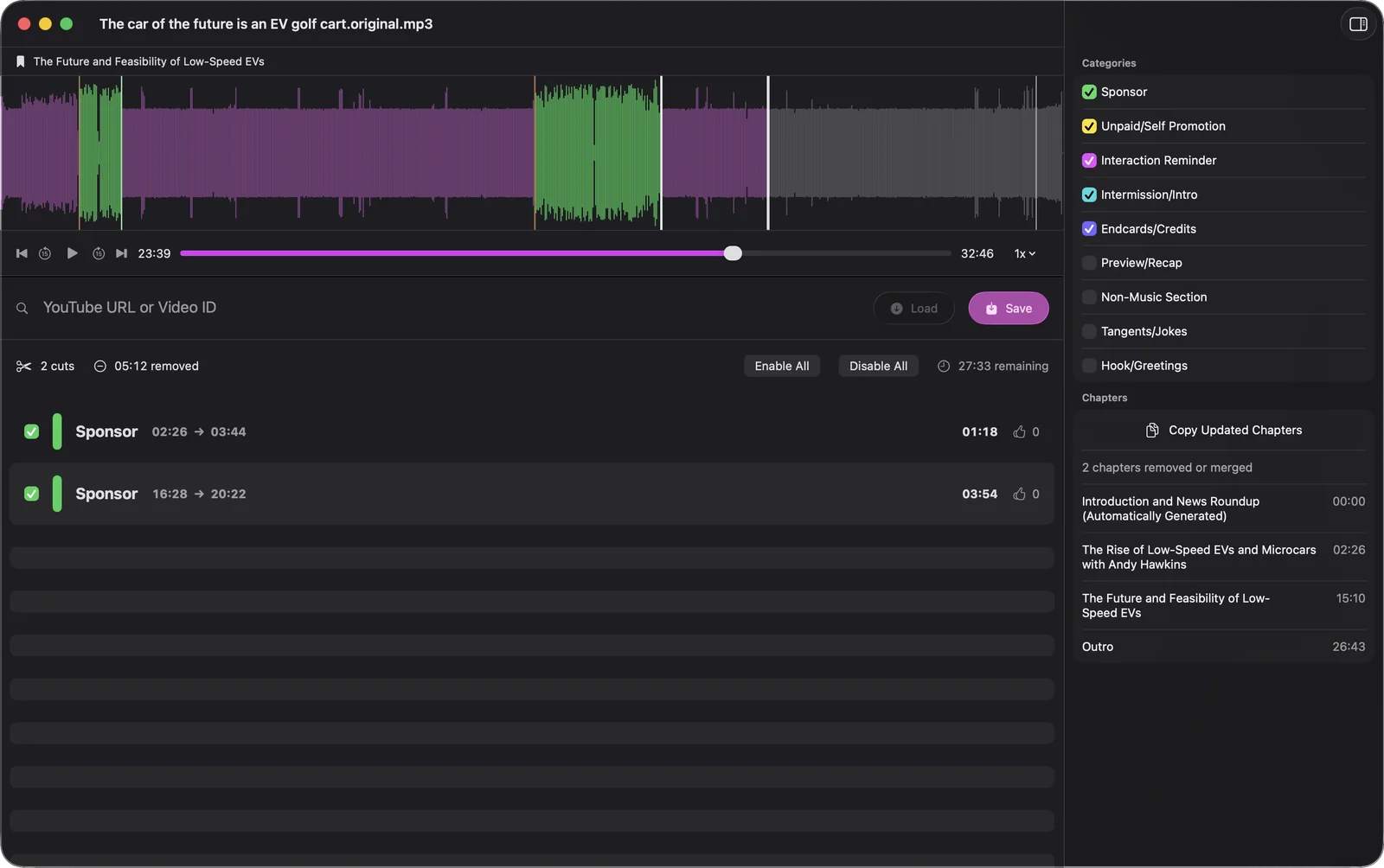
Feedcast finds each sponsor read, cuts it out of the file and joins the audio back up. Chapter marks are repaired around the gap, and every cut is listed for you to keep or undo.
How sponsor removal worksChapters & transcripts
Chapters a show already ships are kept, and episodes without any can have them written from the transcript. Every episode is transcribed on your Mac, timed to the second.
Explore chapters and transcriptsPrivate podcast feeds
Group shows, local audio and video, and YouTube in the direct download into standards-based personal feeds served from your Mac.
Build a private podcast feedCut out, not skipped.
Feedcast transcribes each new episode, finds the sponsor reads and removes them from your copy. Your player gets an episode that is simply shorter.
- Every cut listed with its range and length
- Review, disable or undo any cut
- The untouched original stays on your Mac
Chapters, exactly as you want them.
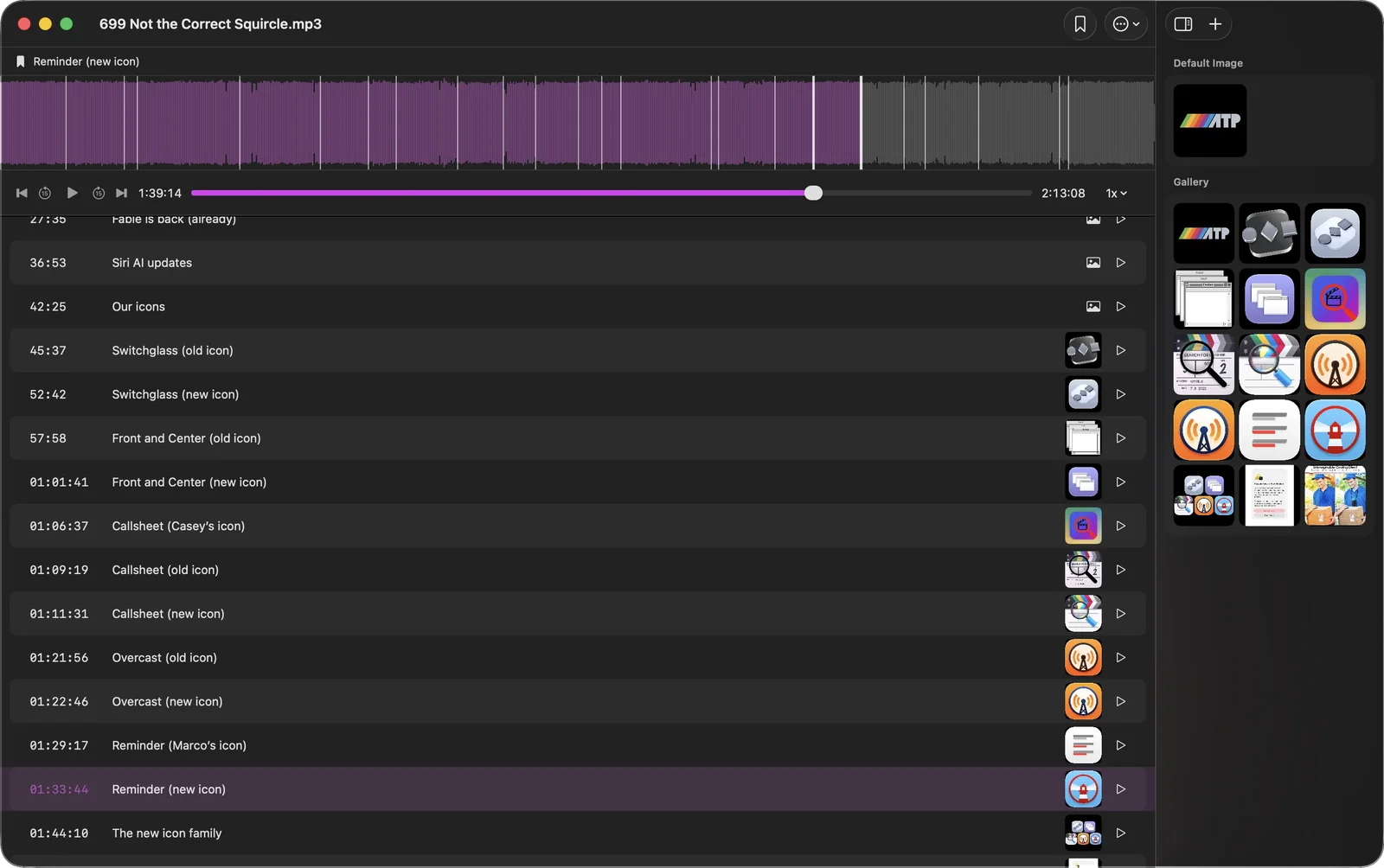
Chapters a show already ships are kept as they are, artwork included. Episodes that arrive without any can get them from the transcript.
- Retitle and retime in the chapter editor
- Chapter artwork travels with the episode
- Generated chapters for episodes without any
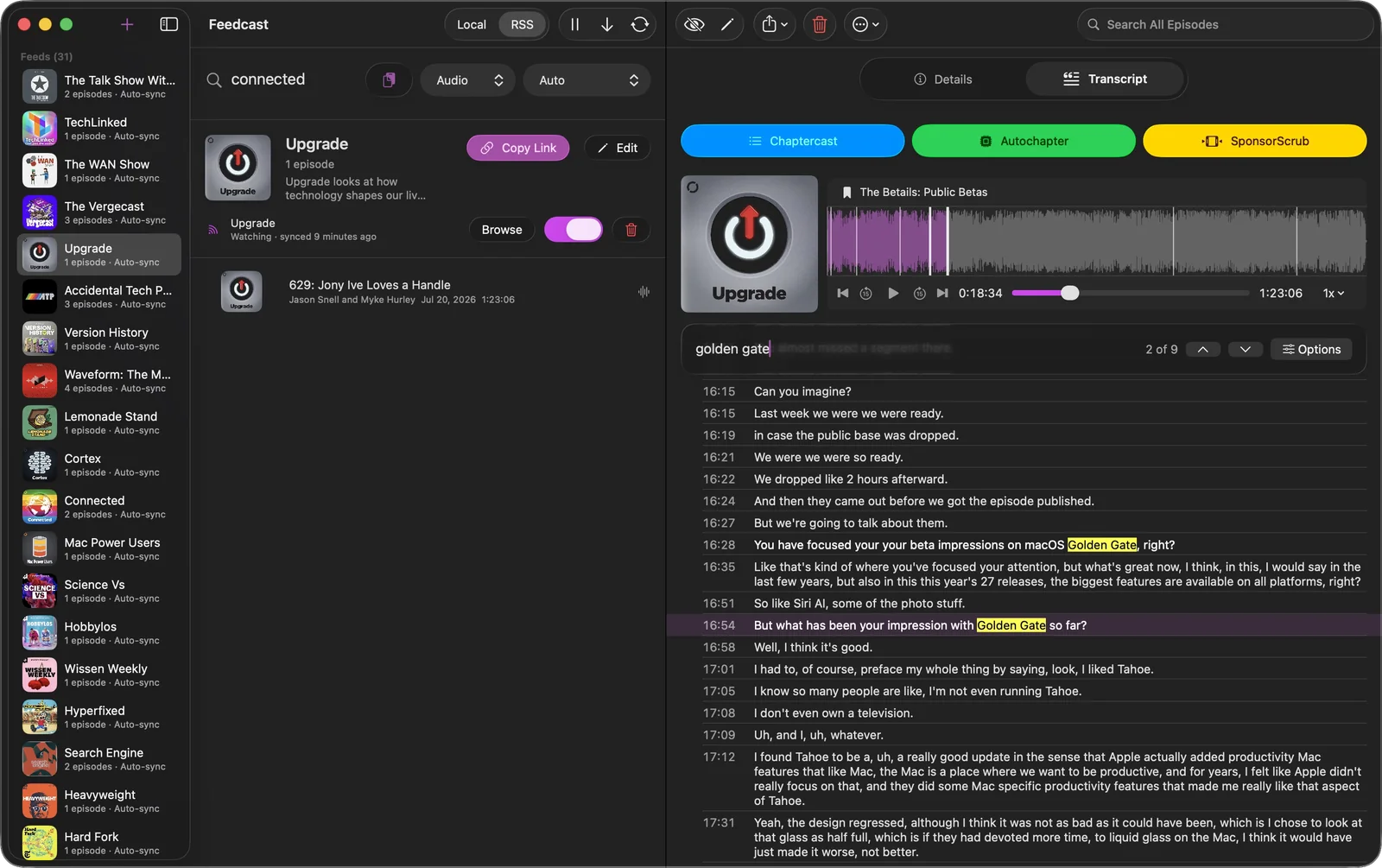
Search inside the episode.
Every episode is transcribed on your Mac and scrolls along with playback. Remember a line but not where it was, search it and jump to the second it was said.
- Transcribed on device, not in the cloud
- Click any line to move the player there
- Search runs inside the episode you are on
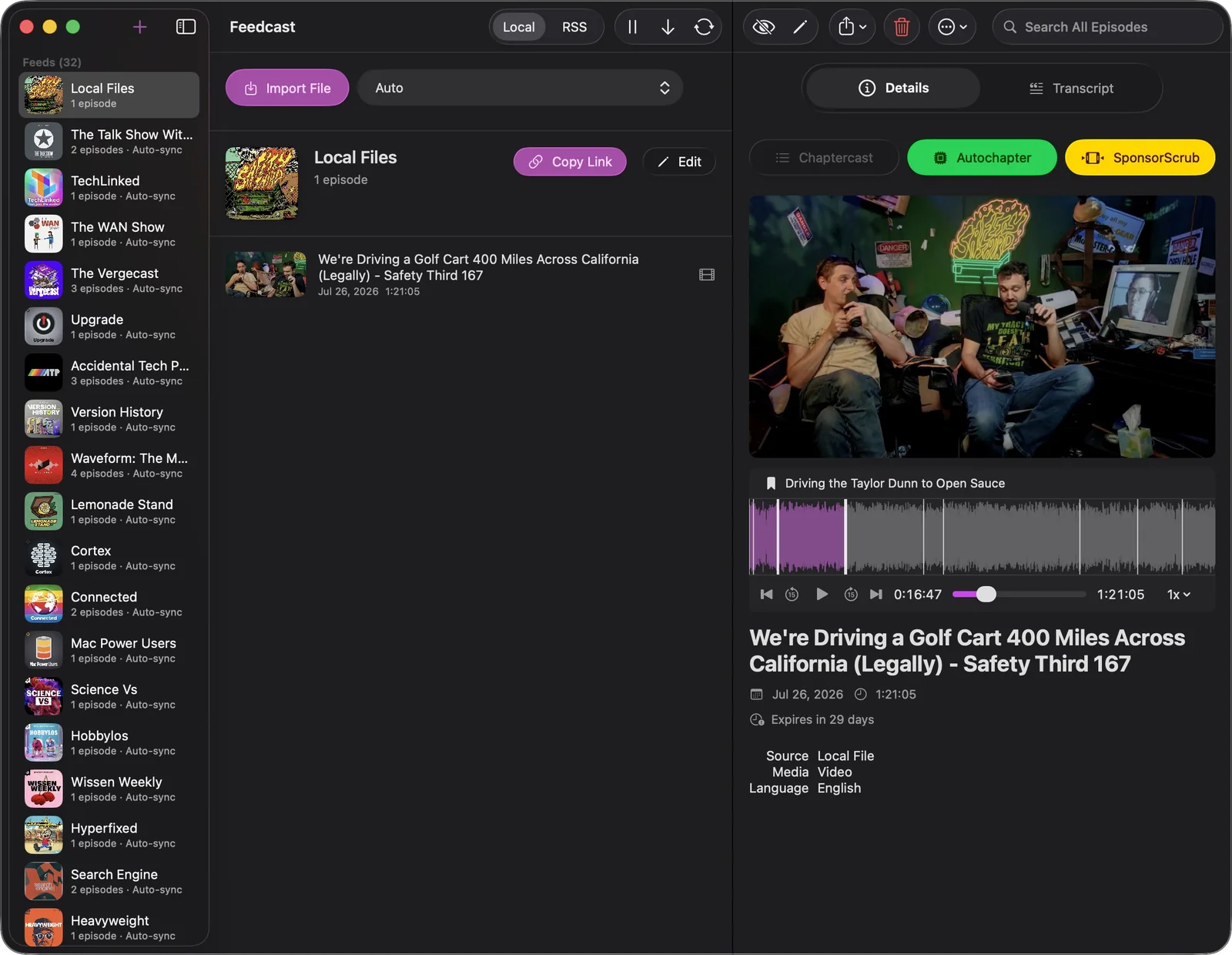
Video, not just audio.
Video podcasts and your own video files fill the detail pane on the Mac, and reach the podcast apps that can play them on your phone.
- Video files become video episodes
- Works with every feature of your player
- Convert to audio only whenever you want
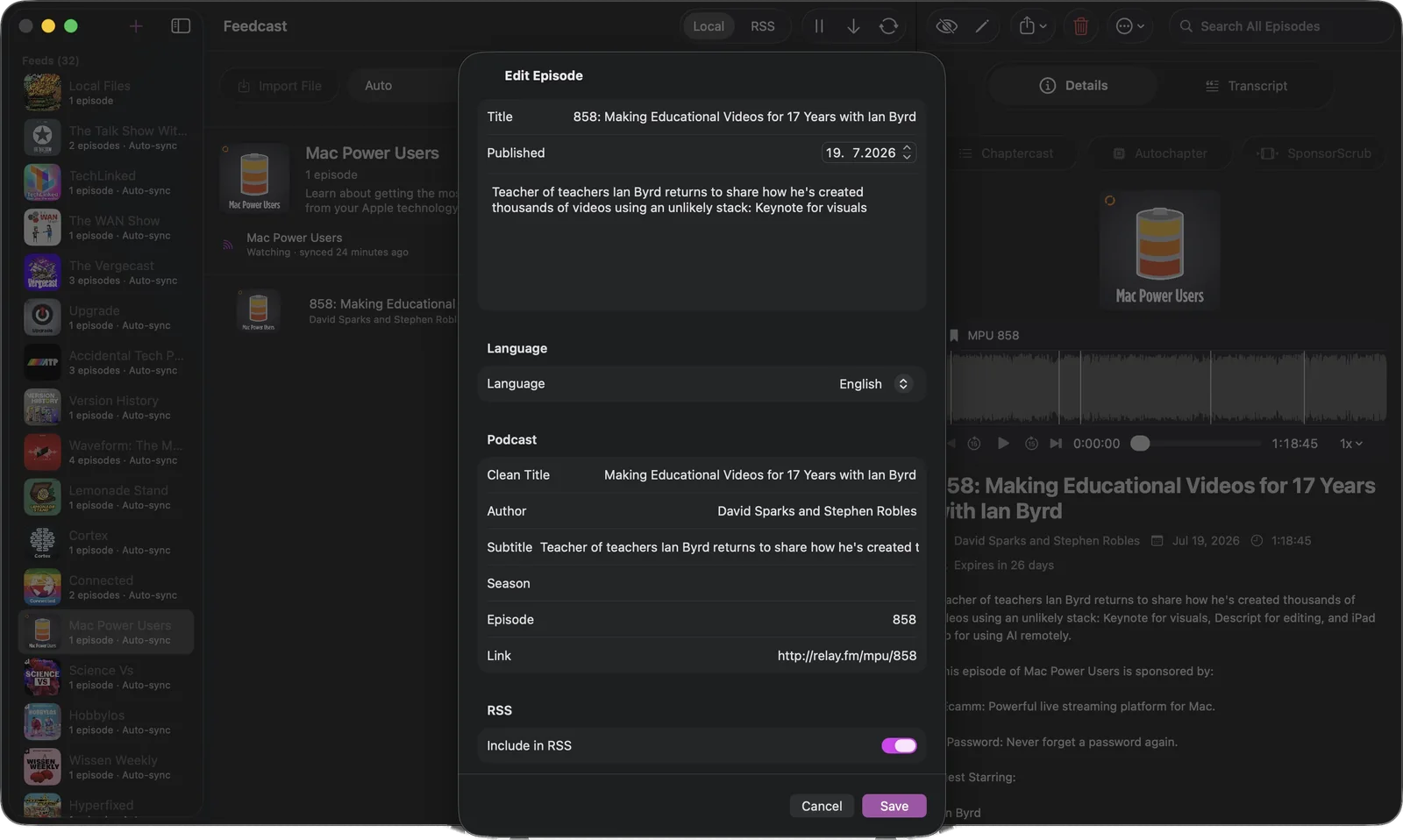
Every RSS tag, yours to edit.
Fix a messy title, a wrong date or a missing episode number. What you type is what the feed says, in seconds.
- Title, date, description, author, season and link
- Clean title and subtitle for the podcast tags
- Keep an episode out of the feed with one switch
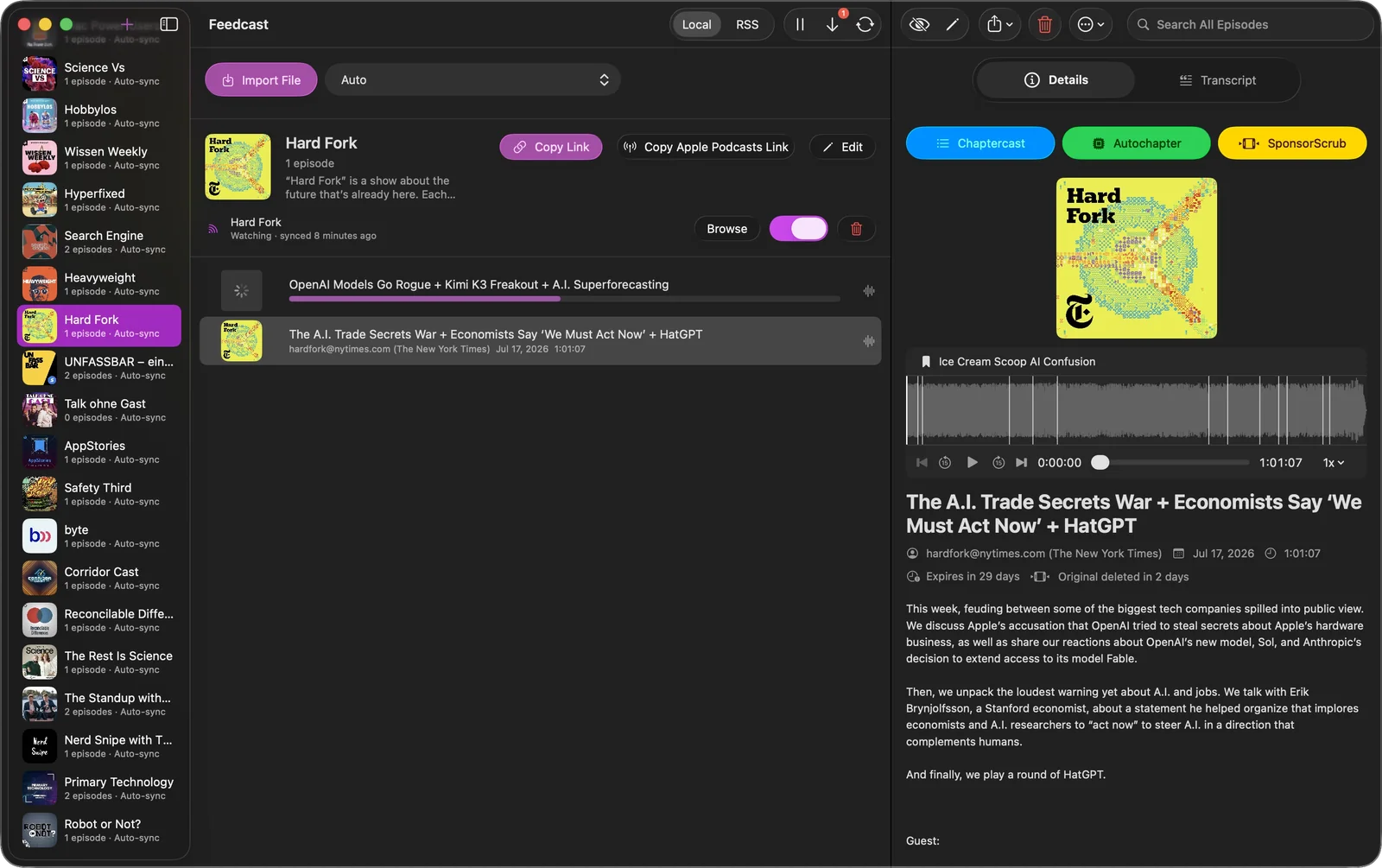
One link, and your player picks it up.
A small server on your Mac turns your library into a real RSS feed. Group any number of shows into it, copy the link, paste it into your app.
- Standards-based RSS, no lock-in
- Streams with seeking over your network
- An online feed address by default, with Local Only as an option
Listen in the app you already love.
Your Mac keeps the files and streams them. Feedcast publishes only the small feed listing online by default, so apps that need a web address can subscribe.
Files stay home
Your audio and video live on your Mac, and a small built-in server streams them to whatever device asks.
Only the feed goes online
Every feed gets a web address by default. Choose Local Only when you want the feed file to stay on your Mac too.
Subscribe anywhere
Apple Podcasts reads the feed over your network. Overcast, Pocket Casts and Castro need the online feed, which hosting provides.
Free is a real app.
Three feeds, no account, every library tool, and your first five episodes cleaned of ads on the Mac App Store. Premium keeps that running on every new episode, and it starts with a free week.
Free
No account, no time limit.
- Sponsor removal and chapters on your first 5 episodes, in the Mac App Store version
- Three feeds, each holding as many shows as you like
- Online feed addresses for every podcast app
- Import from RSS, Apple Podcasts and your own files
- On-device transcripts and per-episode search
- Auto-sync, playback and chapter editing
Premium
1 week free, then $4.99 a month or $44.99 a year.
- Everything in Free
- Sponsor removal on every new episode
- Generated chapters for episodes without any
- Unlimited feeds and OPML import
Premium is bought in the app. Feedcast is made by one student developer, so the subscription is the only thing paying for the servers and the next release.
Two ways to download.
Same app, two ways. The Mac App Store version includes 5 free ad-free episodes. Only the direct download adds YouTube import, which the Mac App Store does not allow.
Mac App Store
Auto-updating and sandboxed through the App Store.
- Local files, RSS & Apple Podcasts
- 5 episodes ad-free, no trial needed
- Automatic updates
- No YouTube import
Direct download
A notarized download straight from feedcast.org.
- Local files, RSS & Apple Podcasts
- Notarized by Apple
- YouTube import included
- No free ad-free episodes
Questions, answered.
Does Feedcast block podcast ads?
It cuts them out of the file. Feedcast downloads the episode, finds where each sponsor read starts and ends, removes those stretches and joins the audio back up. What your player downloads is simply a shorter episode, and every cut is listed for you to keep or undo.
Can I keep using my current podcast app?
Yes. Feedcast creates a standards-based personal RSS feed for Apple Podcasts, Overcast, Pocket Casts, Castro, and other podcast players. It improves your episodes without asking you to move your listening into another app.
Why is YouTube only in the direct download?
YouTube import relies on a tool the Mac App Store does not allow apps to bundle, so the App Store build leaves it out. The direct download is the same app with that feature added. Local files, RSS and Apple Podcasts work the same in both.
Can one feed mix YouTube, podcasts and local files?
Yes. A feed is just a collection, so it can hold episodes from any source at once. The tabs in the app only choose what you are importing, not which feeds you see.
Where do the episode files actually live?
On your Mac, which streams them to your phone over your network. Online hosting publishes the feed file, the small list of what exists and where to get it, so apps that need a web address can find it. The audio and video stay put.
Can I listen on my phone?
Yes. Every feed gets an online address by default, so you can subscribe in whatever podcast app you love and use all of its features: variable speed, position syncing, AirPods and sleep timers.
What does Feedcast cost?
The app is free, with three online feed addresses, on-device transcripts, playback, chapter editing and every library tool. In the Mac App Store version your first five episodes also get sponsor removal and generated chapters, no trial needed. Premium costs $4.99 a month or $44.99 a year after a free week, and adds sponsor removal and generated chapters on every new episode, unlimited feeds and OPML import.
Can AI apps like Claude use Feedcast?
Yes. Feedcast connects to AI apps such as Claude, Cursor, Codex and VS Code over MCP, so you can ask them to find an episode, rewrite titles and descriptions, subscribe to a show, generate chapters or cut sponsors in the library on your Mac. Access stays off until you switch it on and starts out read only.
What do I need to run it?
A Mac running macOS 26 or later. Your feeds are served from your Mac, so it needs to be awake and online when other devices fetch episodes. An always-on desktop Mac like a Mac mini or Mac Studio is ideal, though any Mac works while it is running.