A real RSS feed, not a playlist
What Feedcast produces is an ordinary podcast feed, the same XML a hosting company would publish. Episodes arrive in your app with their titles, artwork, descriptions, publication dates, seasons, episode numbers, chapter marks and media files, because those are the tags any podcast feed carries and Feedcast fills them all in.
That is the entire trick, and it is why nothing else has to change. Your player has no idea it is talking to a Mac in your living room rather than a CDN, so queues, downloads, playback speed, position syncing across devices, sleep timers, CarPlay and Apple Watch all keep working exactly as they did.
Two halves: the feed and the files
It helps to keep these apart, because Feedcast treats them differently.
The feed is a small text file listing what exists and where each episode can be fetched. The episodes are the audio and video, and they are large. Feedcast serves both from a small web server inside the app, on your home network, which is all Apple Podcasts needs: paste the local address and it reads the feed and pulls the files straight off your Mac.
Overcast, Pocket Casts and Castro work differently. Their servers fetch the feed for you, and their servers cannot see inside your network. So Feedcast publishes just the feed file to an unlisted address at feeds.feedcast.org by default, including for the three free feeds, while the episodes it points at still come from your Mac. Choose Local Only if you want the listing to stay on your Mac too. That is the whole of what online hosting moves off your machine: the list, never the audio.
The consequence: your Mac has to be awake and reachable when a device goes to download an episode. A Mac mini or a Studio that stays on suits this. A laptop that gets shut at the end of the day means your phone picks the episodes up whenever the lid is open.
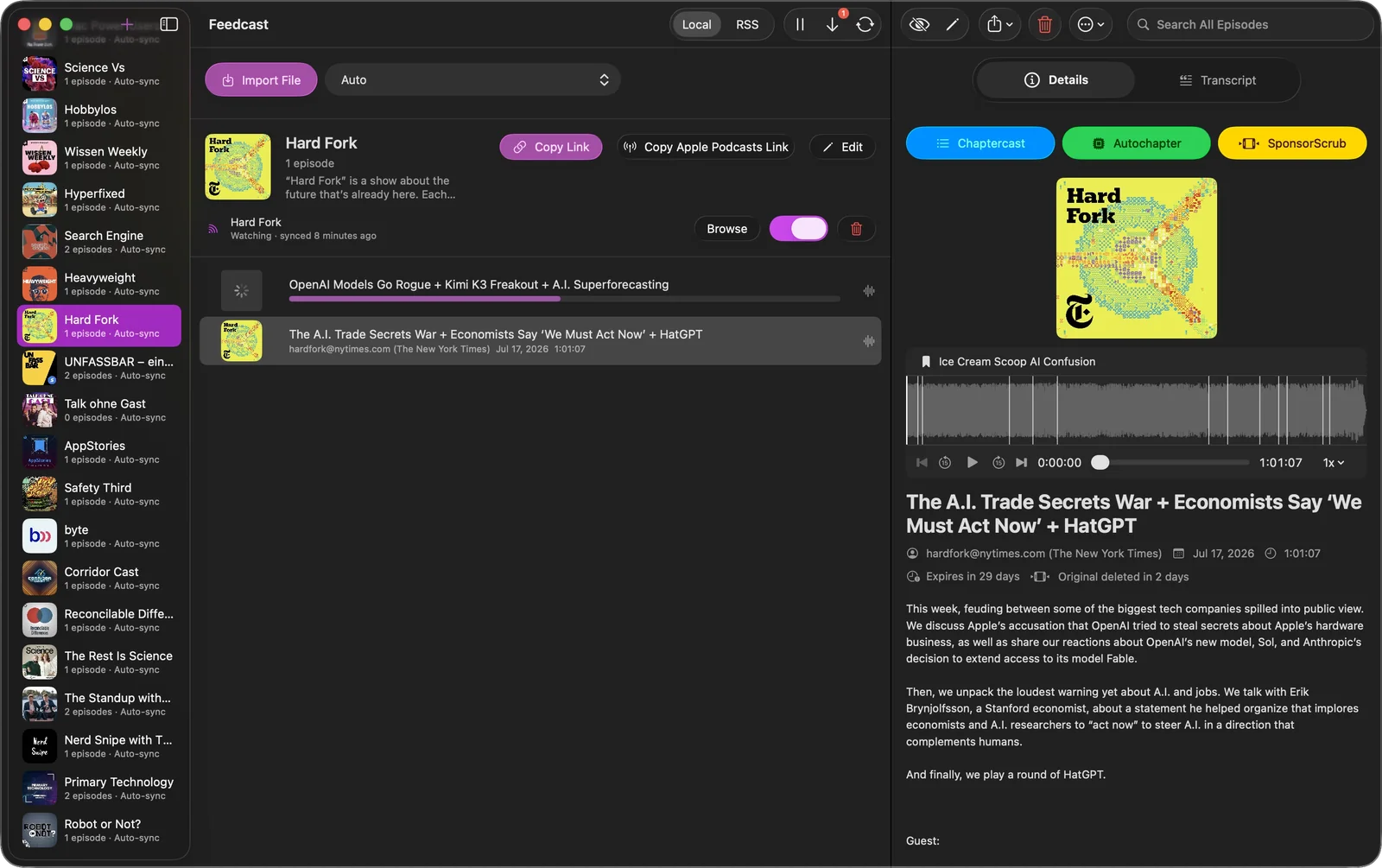
The feed is personal and unlisted rather than published. It carries the tag that asks podcast directories to leave it out, and there is no password on it, so treat the address the way you would treat any link you would rather not hand around.
Build it around how you listen
A feed does not have to be one show. Put the three interview podcasts you actually finish into a single feed, add a lecture series from YouTube and the talks you saved to your desktop, and subscribe to that one address. A feed holds as many shows and episodes as you want to give it: the free limit is three output feeds, not three subscriptions.
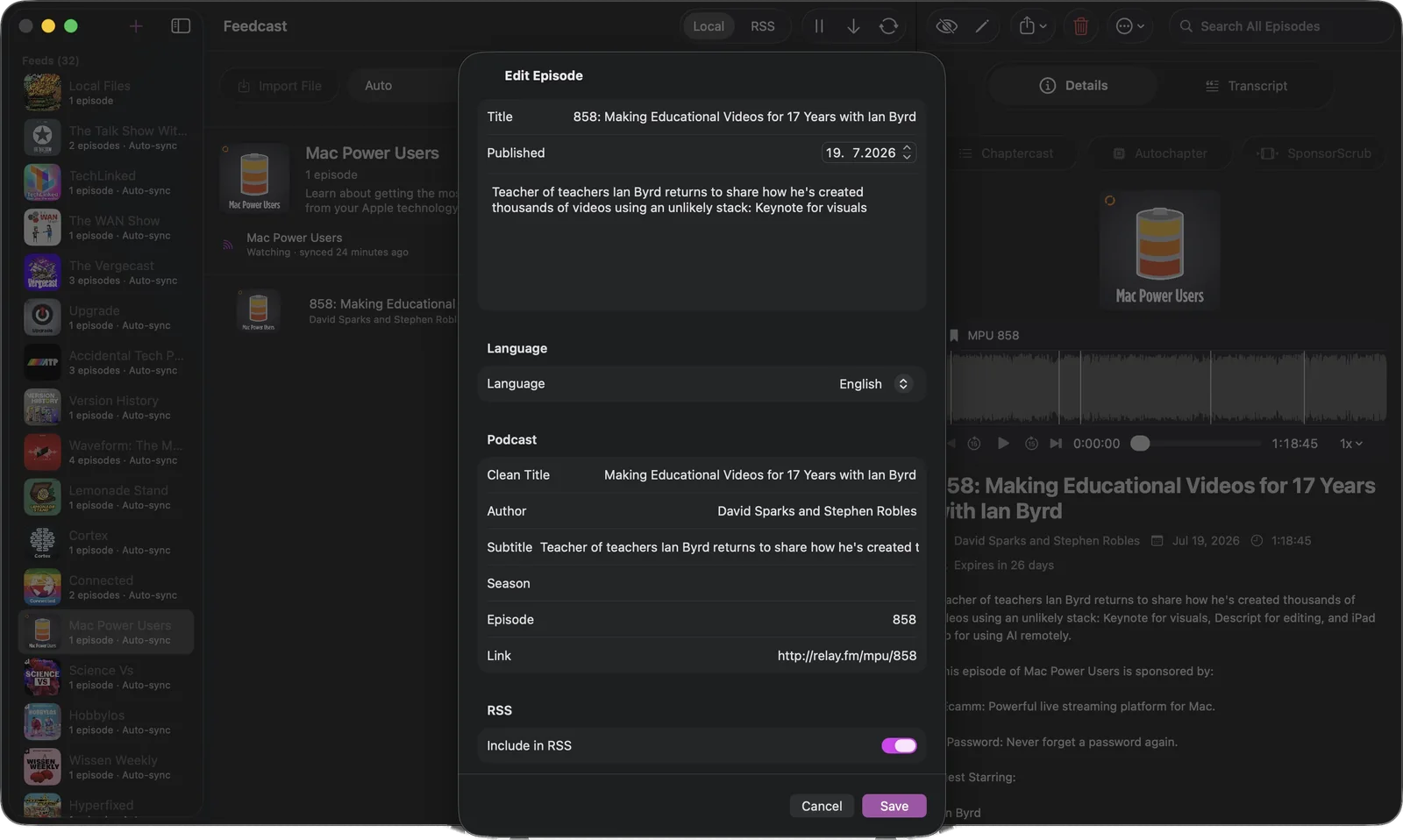
Each feed gets its own title, artwork, description and categories. You can edit any episode’s tags, keep an episode out of the feed with one switch, and decide which sources sync on their own. Premium lifts the three-feed limit and adds OPML import, which is how a long subscription list gets in without any typing.
Improve the episode on the way through
A personal feed can do more than move files around. On the way into it, Feedcast transcribes the episode on your Mac, keeps or writes its chapters, and cuts out the sponsor reads it finds. What lands in your player is the better version.
Read how the podcast ad blocker works, what happens with transcripts and chapters, or how to turn YouTube into a podcast feed.